What cayDMS can do
Not another tool on the stack. The missing piece between abas and your inbox.
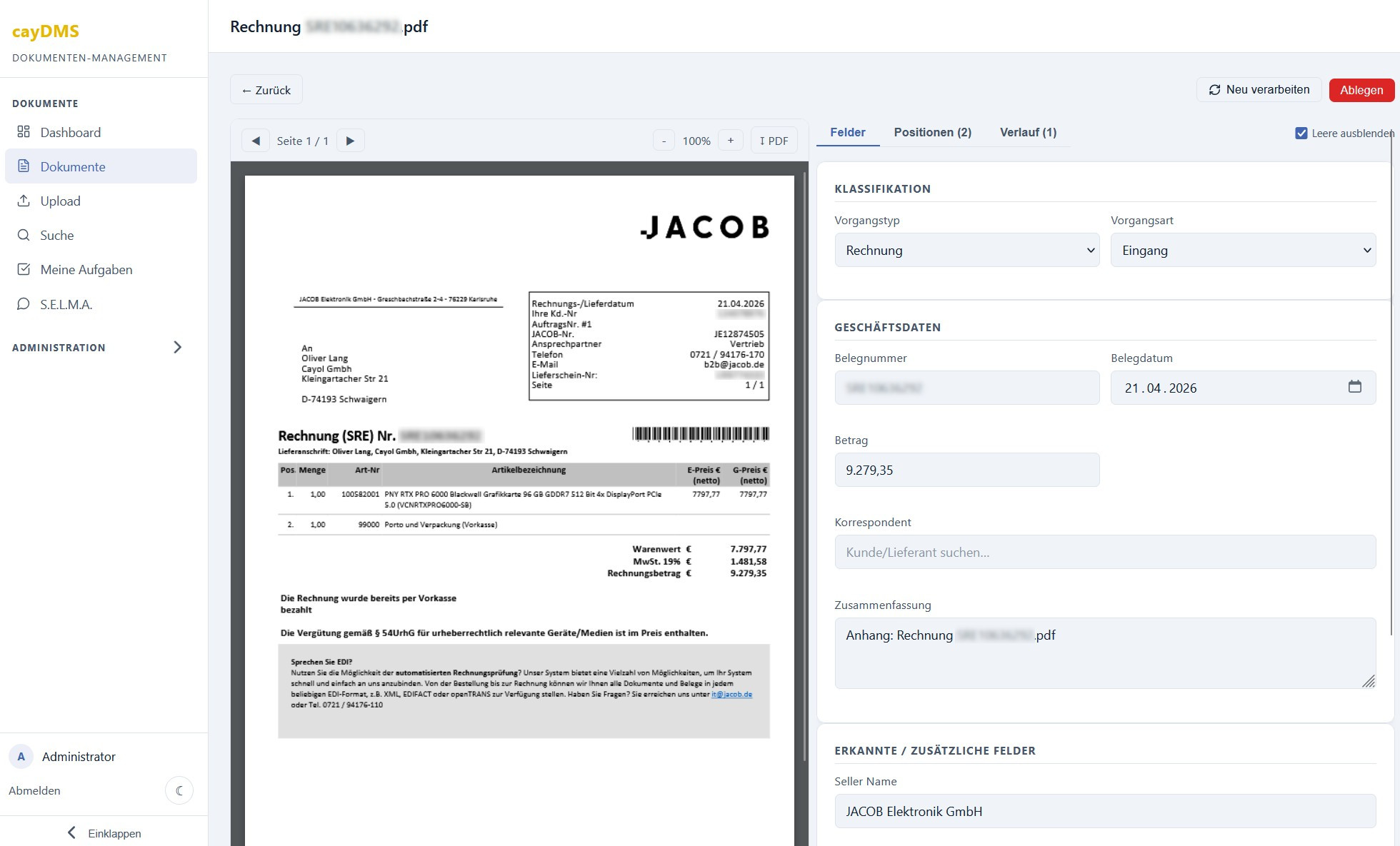
Type recognised. Fields filled. Done.
cayDMS recognises the document type automatically – invoice, order confirmation, delivery note – and extracts the relevant business data: document number, date, amount, correspondent. The integrated PDF viewer shows the original right next to the recognised fields – with zoom and page navigation. If the invoice includes a ZUGFeRD or XRechnung (the German e-invoicing standard) attachment, its structured data is read automatically. Anything the LLM cannot assign with confidence is marked as a suggestion.
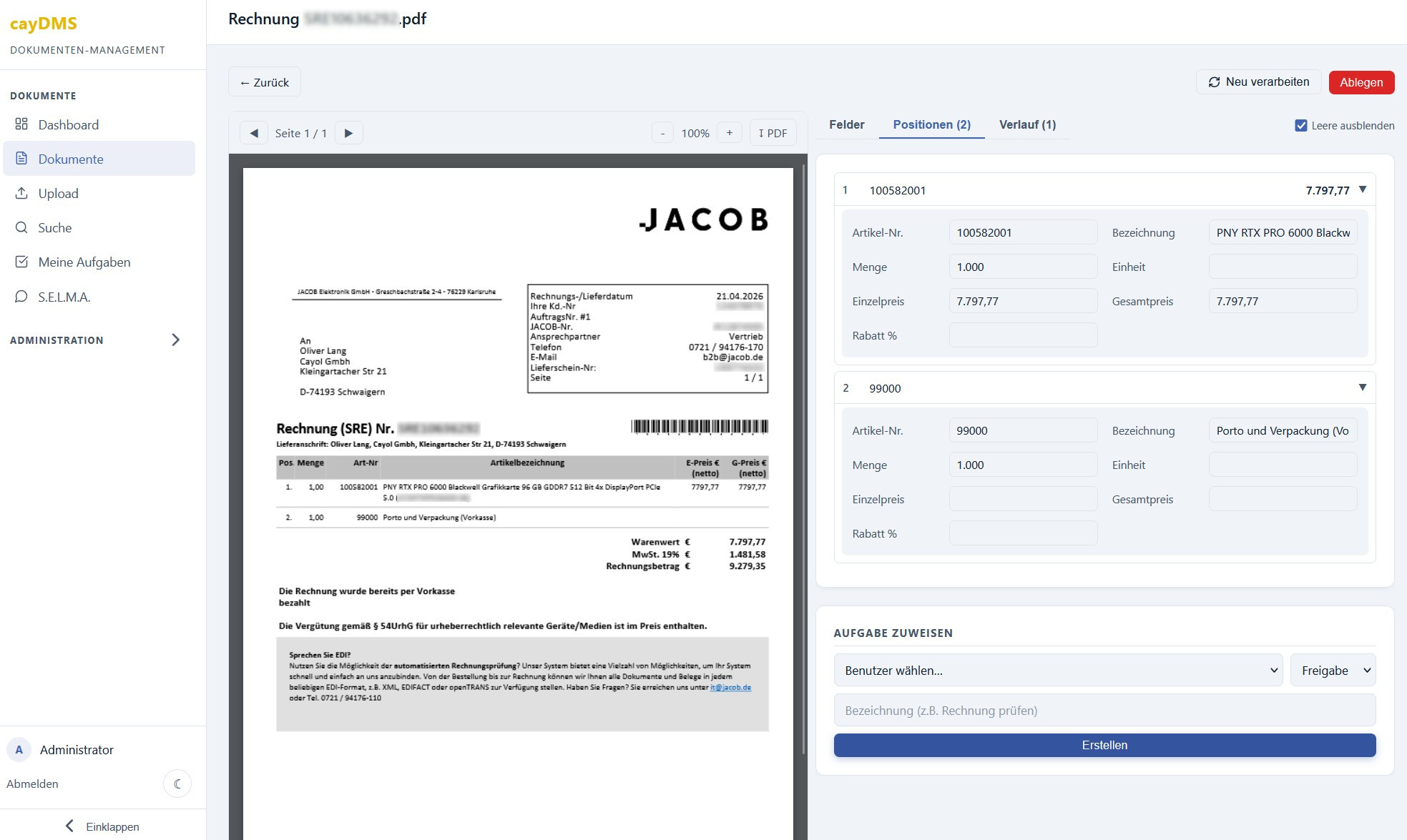
Line items recognised. Matched against abas.
cayDMS doesn't just read header data – it extracts every single line item from the document. Part numbers, quantities, unit and total prices are automatically matched against your abas master data. Discrepancies stand out immediately, before the document is processed any further.
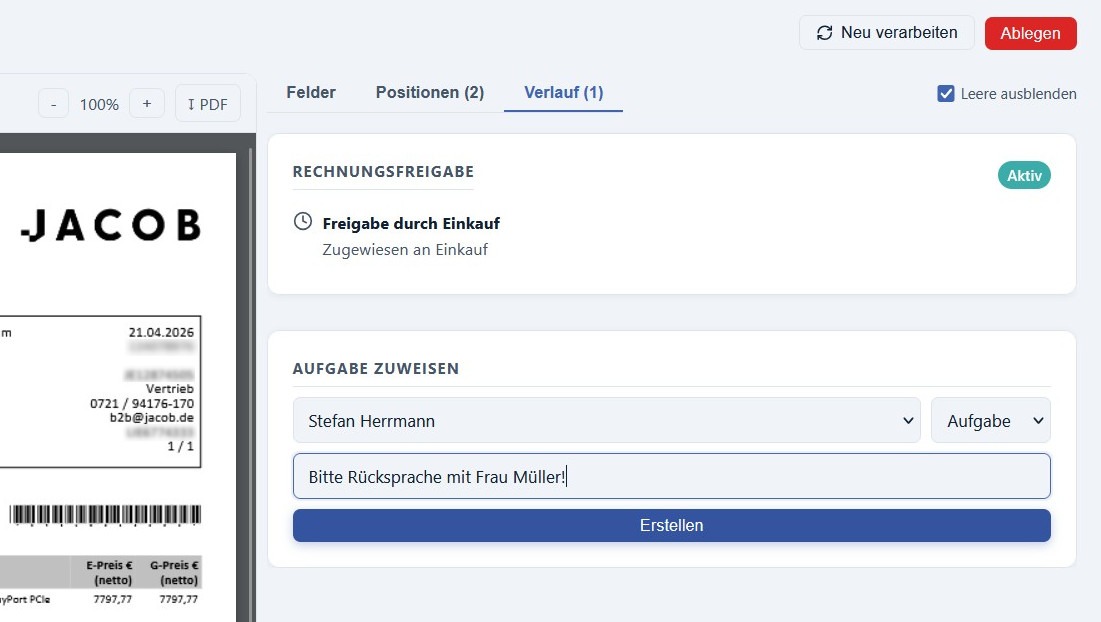
Workflows that follow your rules.
Multi-step approval processes start automatically on defined triggers or are initiated manually. Tasks can be assigned directly from the document view – with type, recipient and comment. The history documents every step, from assignment to approval.
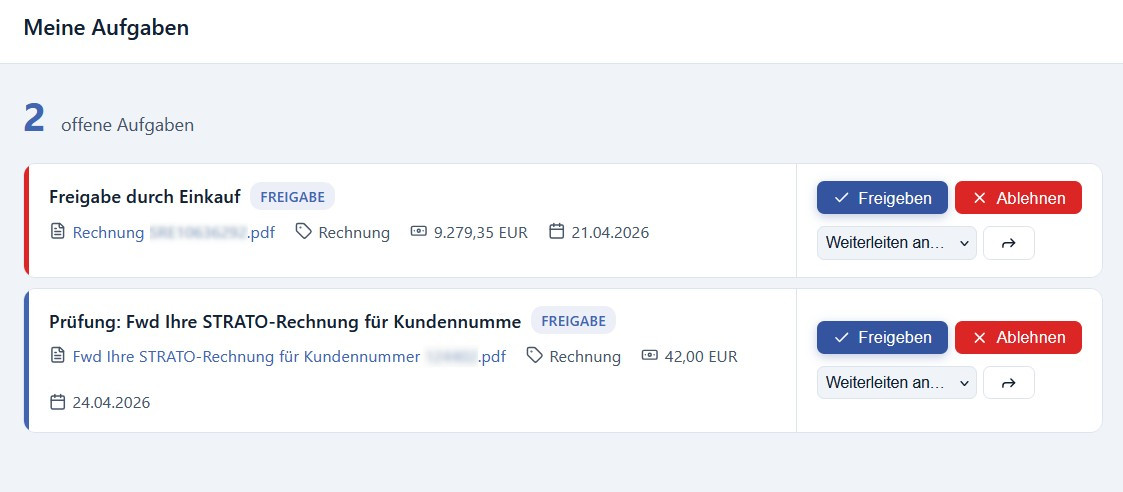
Approve. Reject. Forward.
The task view shows all open items at a glance – with document type, amount, date and status. One click on approve or reject, and the workflow moves on. Or you forward the task straight to a colleague.
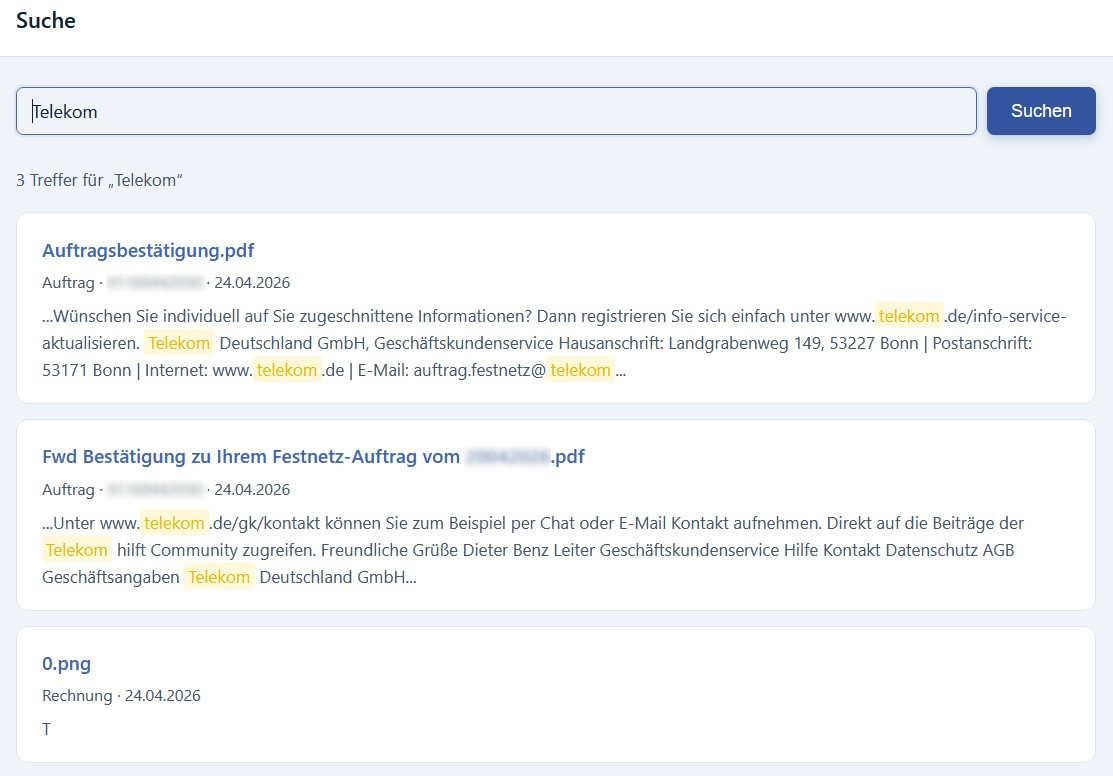
Every document. Every word. Instantly.
Full-text search across the entire document base – OCR text, file names, document numbers and metadata. Even amounts are search terms: "60.87" is enough, and the matching invoice is right in front of you. Matches are shown with context and highlighting. One click opens the document at exactly the right spot.
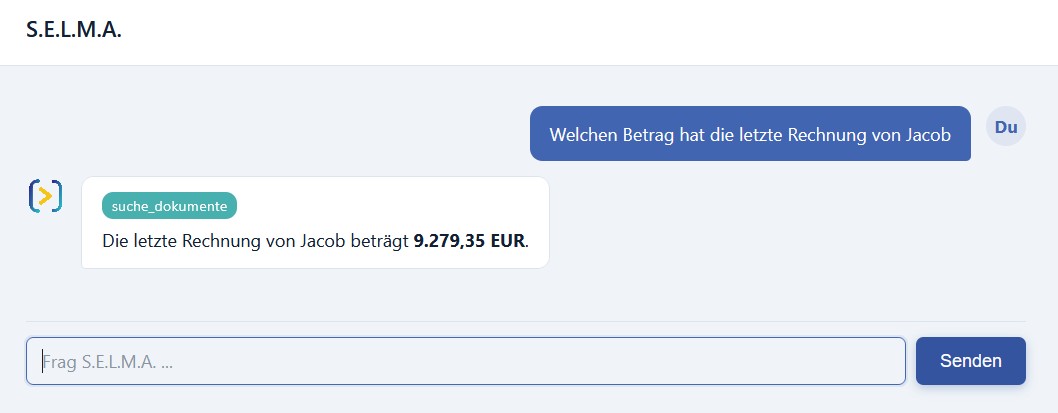
"What's the amount of the last invoice from Jacob?"
S.E.L.M.A. is integrated directly into cayDMS and has access to all documents the respective user is allowed to see. Ask in plain language – and get answers with concrete figures and source references. A clear permission structure in user management, no uncontrolled sprawl.
One abas record. All documents. One click.
The document explorer groups the archive by abas record: one click on an abas entry, and all related documents sit together – from the purchase order through the order confirmation to the invoice. No more hunting across folders and drives.
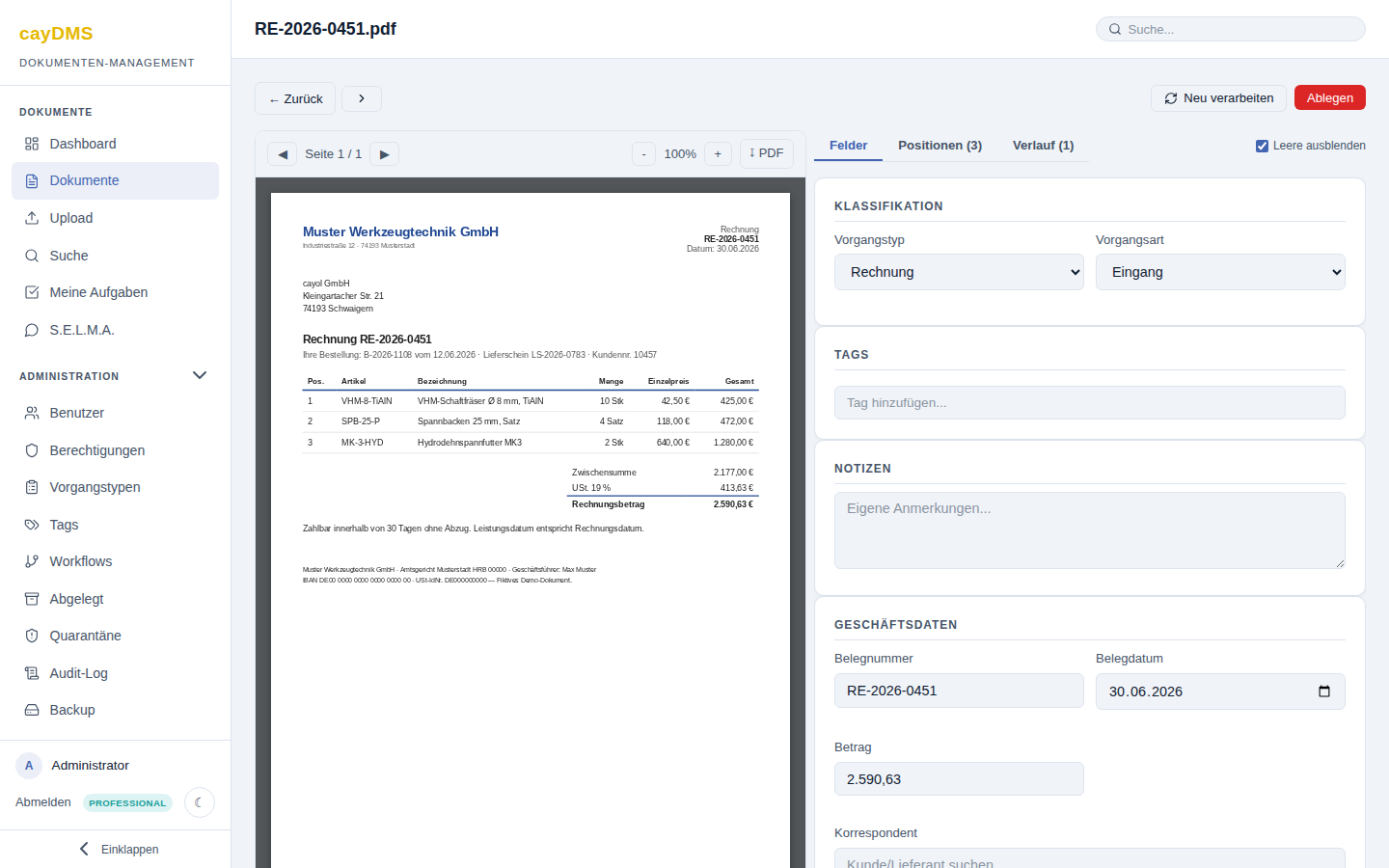
The original on the left. What the AI read on the right.
The document view shows the PDF in the integrated viewer with zoom and page navigation — and right next to it the automatically recognised fields: transaction type, document number, date, amount, correspondent and the individual line items. Every value can be checked against the original before it is approved. Shown here: a fictitious demo invoice, recognised fully automatically.
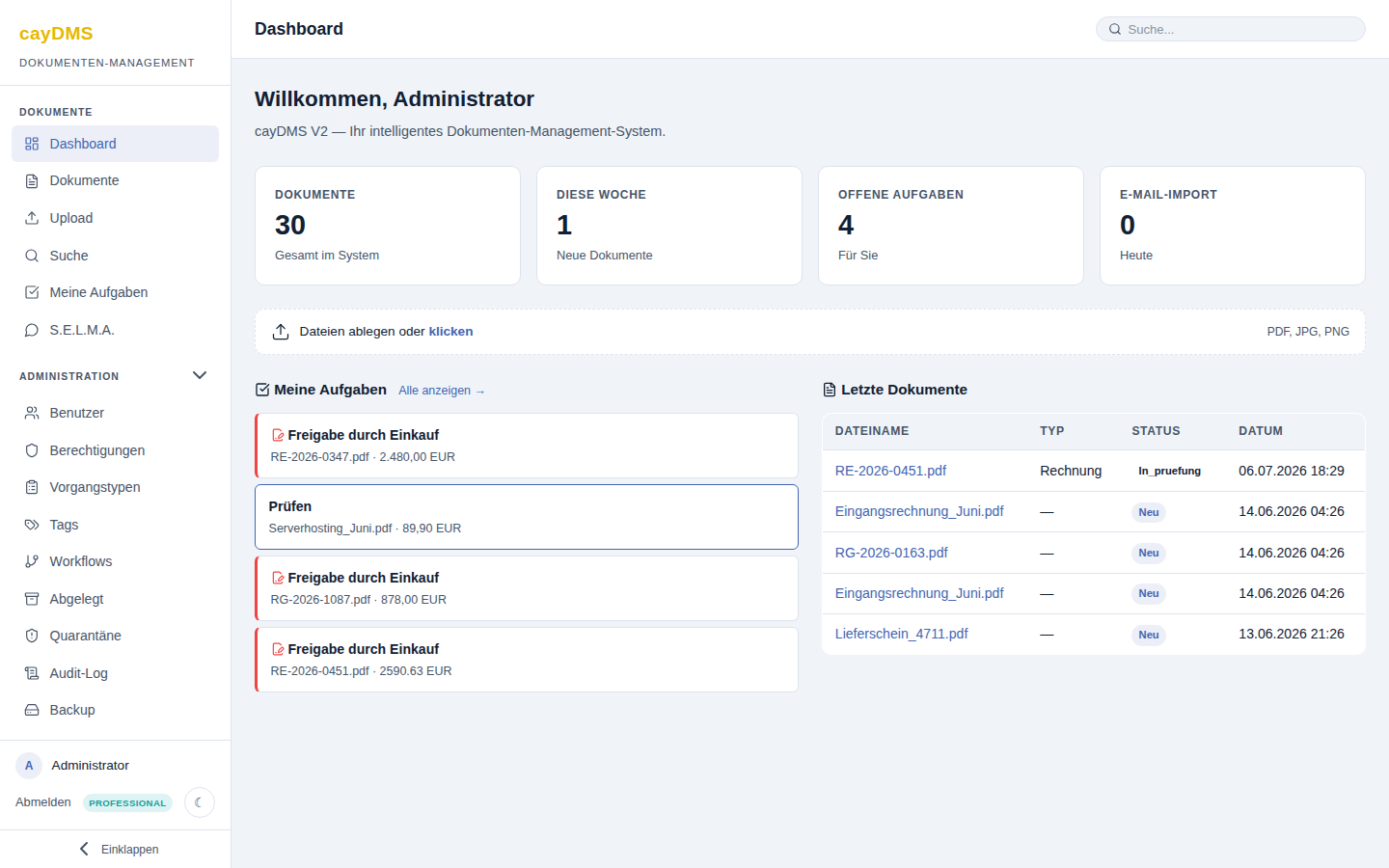
Tasks, new arrivals, upload — no detours.
The dashboard greets every user with what concerns them: open approvals and review tasks from the workflows, the most recently received documents with their status, and a drop zone for new files. Email import and processing run in the background — whatever arrives shows up here.