Case Study · In Production

Stamping drawings automatically.

Before production, every technical drawing needs its release stamp: date, editor, quantity, assembly. The trouble is, the title block sits somewhere different on every drawing — sometimes landscape, sometimes portrait. By hand, that means: open, search, position, type. Per drawing. With series of hundreds of drawings, a real time sink.

Built for CFM Schiller GmbH — special-purpose machinery
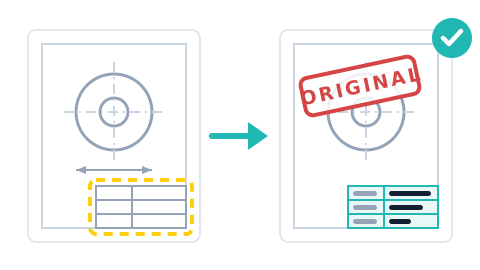
Illustration: a drawing with an empty title block automatically becomes a stamped drawing with a filled-in title block and a red ORIGINAL imprint

The result — stack in, stamped out

A Docker container does in minutes what used to be an afternoon at the screen.

4
orientations detected automatically
100+
drawings per batch, in minutes
0
manual positioning
Image recognition

The title block is found — not assumed.

A template-matching approach (OpenCV) searches for the title block on every page — no matter how the drawing is oriented. All four orientations (0, 90, 180, 270 degrees) are checked and the size is searched across 25 scaling steps until the match is certain.

Template matching 0/90/180/270 degrees 25 scaling steps
Filled in automatically

Date, editor, quantity, assembly — in the right place.

The detected position is automatically converted from pixels to PDF coordinates; the values come from a companion file per drawing. Font, size and color are configurable for each field — with a red “ORIGINAL” imprint on request.

Values from a companion file Configurable per field Red “ORIGINAL” imprint
Batch-capable

A folder in, stamped PDFs out.

As a Docker container, the stamper processes entire batches: hundreds of drawings in minutes. Pages without a title block pass through unchanged, and a corrupt PDF doesn't stop the batch — it is logged, and the rest keeps running.

Docker container Hundreds of PDFs per run Nothing stops the batch

Why this works reliably

No magic — just craftsmanship.

Illustration: a document is checked with a magnifying glass, reality decides

Searching instead of hard-coding.

Fixed coordinates work exactly until the first drawing that is laid out differently. That's why the title block is searched for anew on every page — the solution adapts to the drawings, not the other way around.

Image recognition instead of coordinates Every page checked individually
Illustration: processing on a timeline, an error is isolated, the rest keeps running

Robustness is standard, not an extra.

A page without a title block? Passes through unchanged. A corrupt PDF? Logged and skipped. With hundreds of drawings per batch, that is exactly the difference between “running” and “stuck”.

Errors isolated The batch keeps running
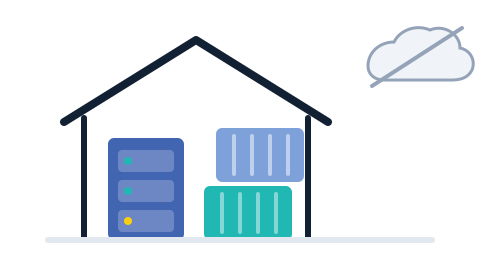
Illustration: servers and containers run inside your own house, the cloud stays outside

Delivered as a Docker container.

Runs on your existing infrastructure, no cloud requirement. Your drawings — and with them your design know-how — never leave the building.

On-premise Drawings stay in-house

What does this mean for you?

The release stamp is just one example. The same technique fills in, marks or checks anything that moves through your business as a PDF — even if it sits somewhere different on every page.

Inspection & release notes Supplier drawings QA documents Watermarks & confidentiality notices Accompanying documents & labels PDF workflows in general

Where are you still clicking the same thing a hundred times?

If someone in your company stamps, labels or sorts PDFs by hand: tell us about it. Manual steps like these can almost always be automated.

Get in touch